RallyPath says it cannot see my workouts
Apple only tells an app whether it asked, not whether you said yes. Here is how to check both the permission and the workout.
Before you start
On the Select Workout screen you will see one of two messages: Health Access Needed or No Badminton Workouts. Each has its own fix below.
Steps
Check the permission in the Health app
Open Health, go to Sharing, then Apps, and tap RallyPath. Make sure Workouts and Heart Rate are turned on. If RallyPath is not in the list, it has never asked: open a session and tap Import from Apple Health to trigger the prompt.
Check the workout exists, and is Badminton
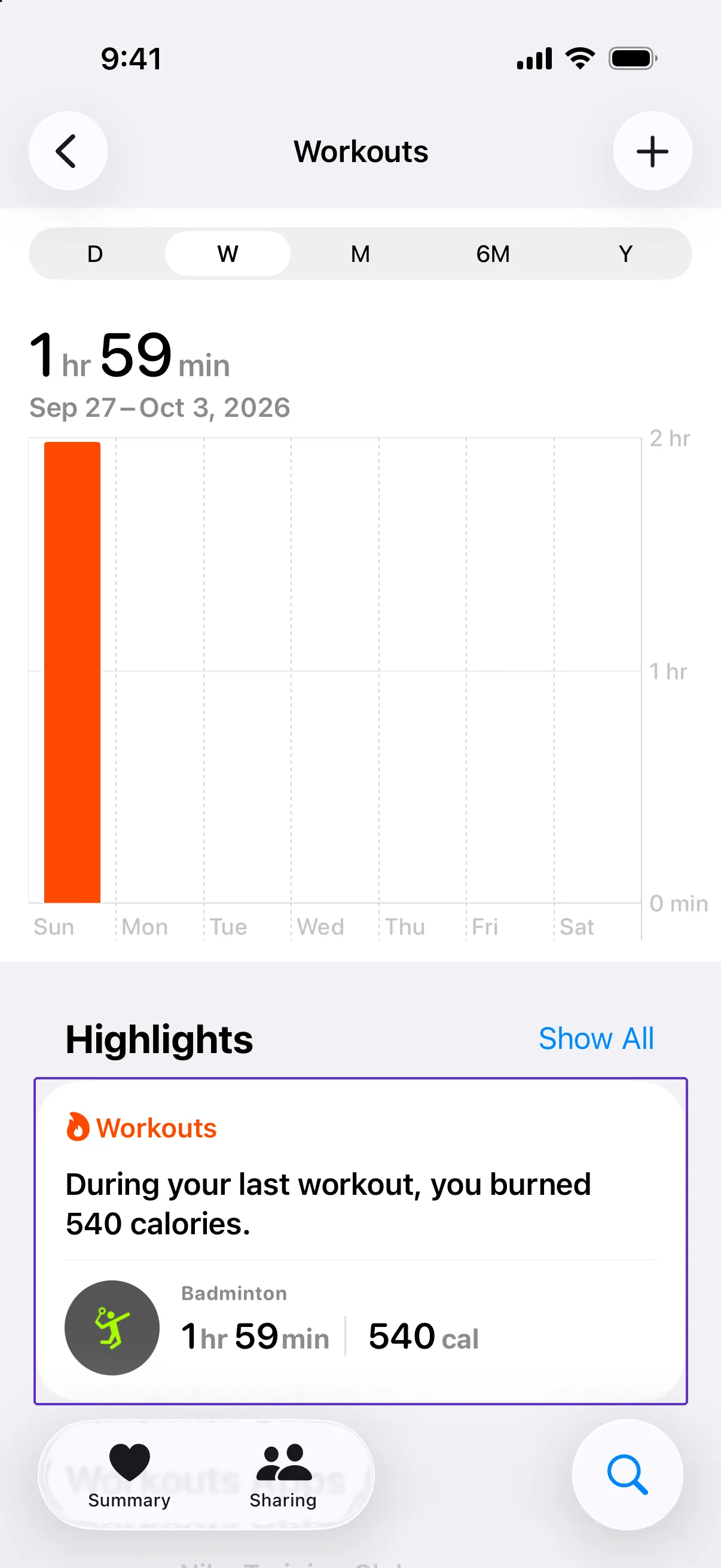
In Health, tap Search, then Activity, then Workouts. Find the session. Its type must be Badminton and it must be within the last 6 months. RallyPath does not list other workout types.
Try the import again
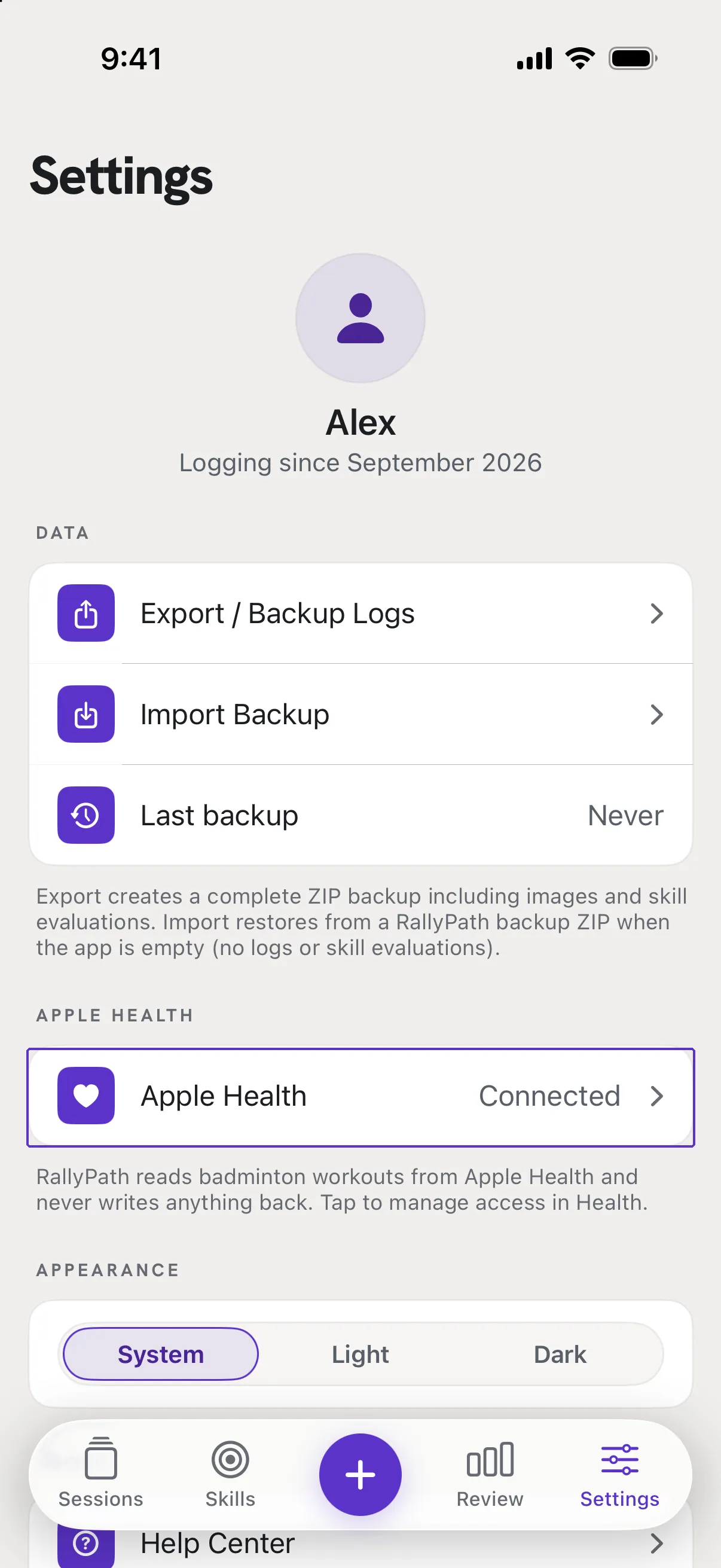
Back in RallyPath, open the session, tap Edit, then Import from Apple Health. The workout should now appear. You can also check the connection in Settings: the Apple Health card reads Connected, Not connected or No workouts found.
Good to know
- Why can't RallyPath just tell me if permission is off?
- Apple hides read permissions from apps on purpose, so RallyPath can only look for workouts. If it finds none, it cannot know whether that is because there are none or because it is not allowed to see them. That is why Not connected and No workouts found are the two states you may see.
- My watch recorded it as "Other".
- Next time, choose Badminton when you start the workout on the watch. Past workouts cannot be re-typed by RallyPath, but you can still log the session by hand and type the duration.
- Health Not Available
- Apple Health is only on iPhone. On a device without Health, RallyPath works fully but the import button does nothing.