Settings and your data
Back up your data
One file with every session, photo, rating and your profile. Save it somewhere that is not this phone.
Before you start
There is no account and no cloud sync, so a backup file is the only copy of your data that lives outside this phone. Make one before deleting anything or changing phones.
Steps
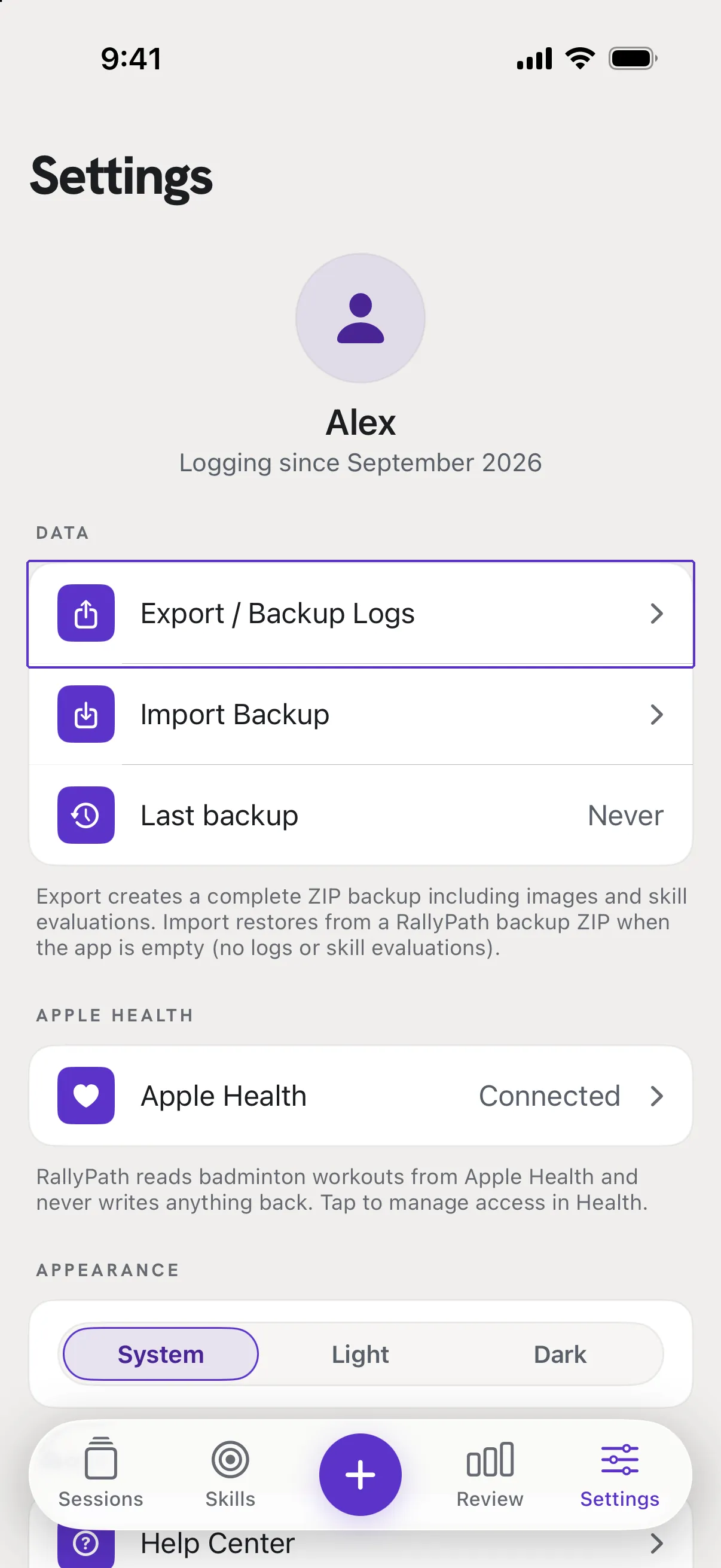
Go to Settings, then Data
Tap Export / Backup Logs. RallyPath builds one ZIP file named RallyPath_Backup_ with the date, containing every log, image, skill evaluation and your profile.
Choose where it goes
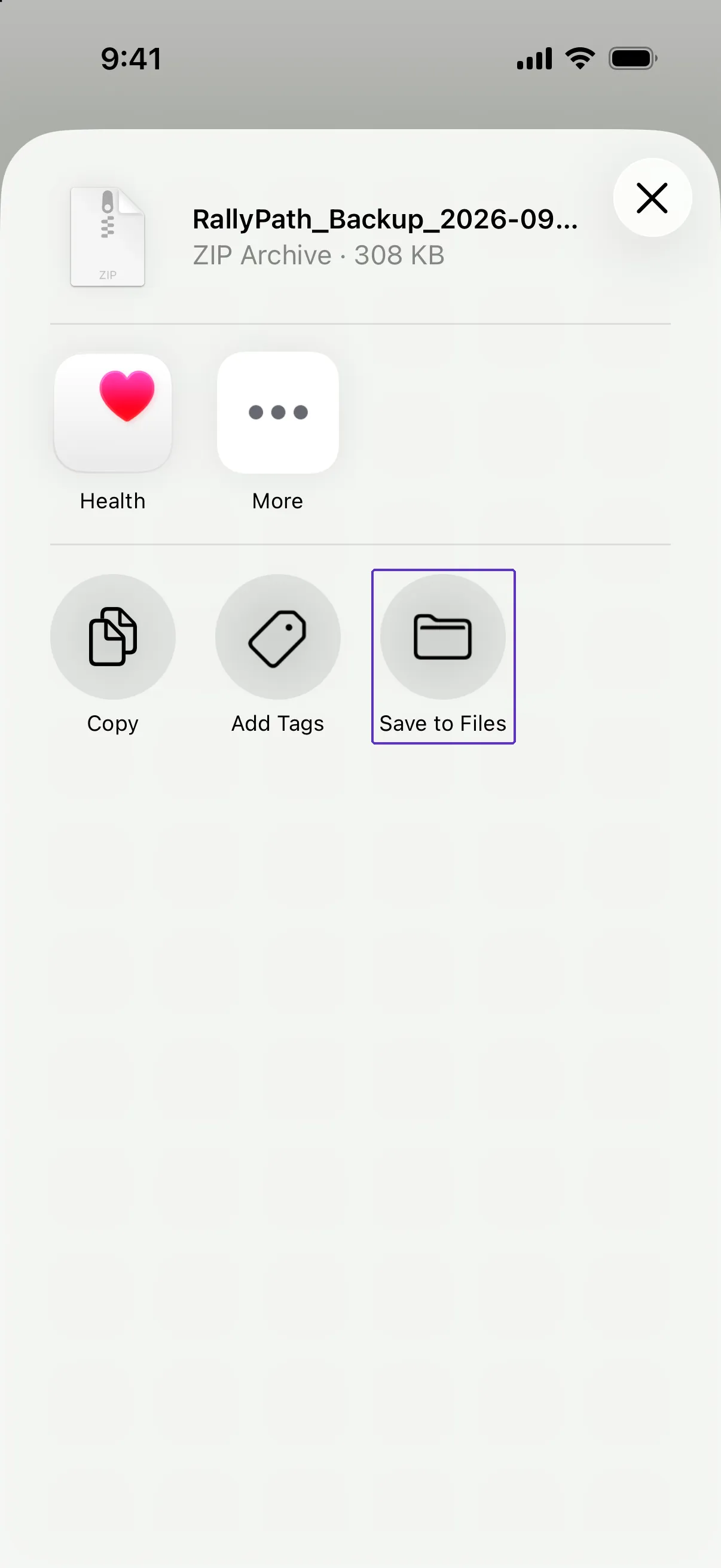
The iOS share sheet opens. Save to Files (iCloud Drive is safest), AirDrop to your Mac, or send it to yourself. Settings then shows Last backup with the date.
Good to know
- How often should I back up?
- Whenever you would mind losing what you logged since the last one. There is no automatic backup.
- Is my data in iCloud anyway?
- Not by RallyPath. Your phone's own iCloud backup may include the app's data depending on your Apple settings, but a backup file you can see is the one to trust.