Skills
Mark a skill as in focus
Up to three skills you are working on right now. They show first when you tag a session, and count on the dashboard.
Before you start
Focus is a shortlist, not a rating. It does not change the skill's level; it changes where the skill shows up.
Steps
Open the skill
On the Skills tab, open an area and tap the skill.
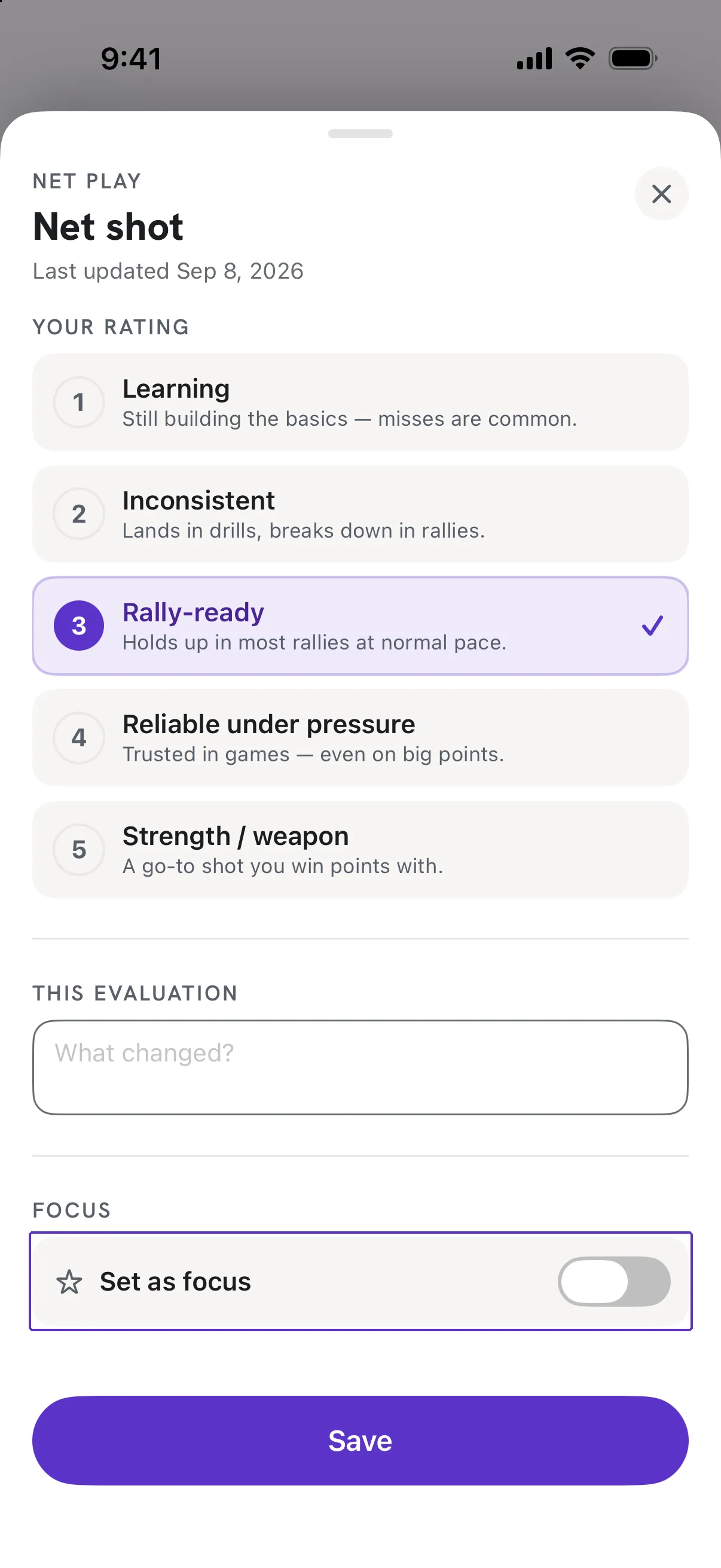
Tap Set as focus
Under FOCUS on the rating sheet. The sheet then shows Focused since and the date. Tap again to remove it.
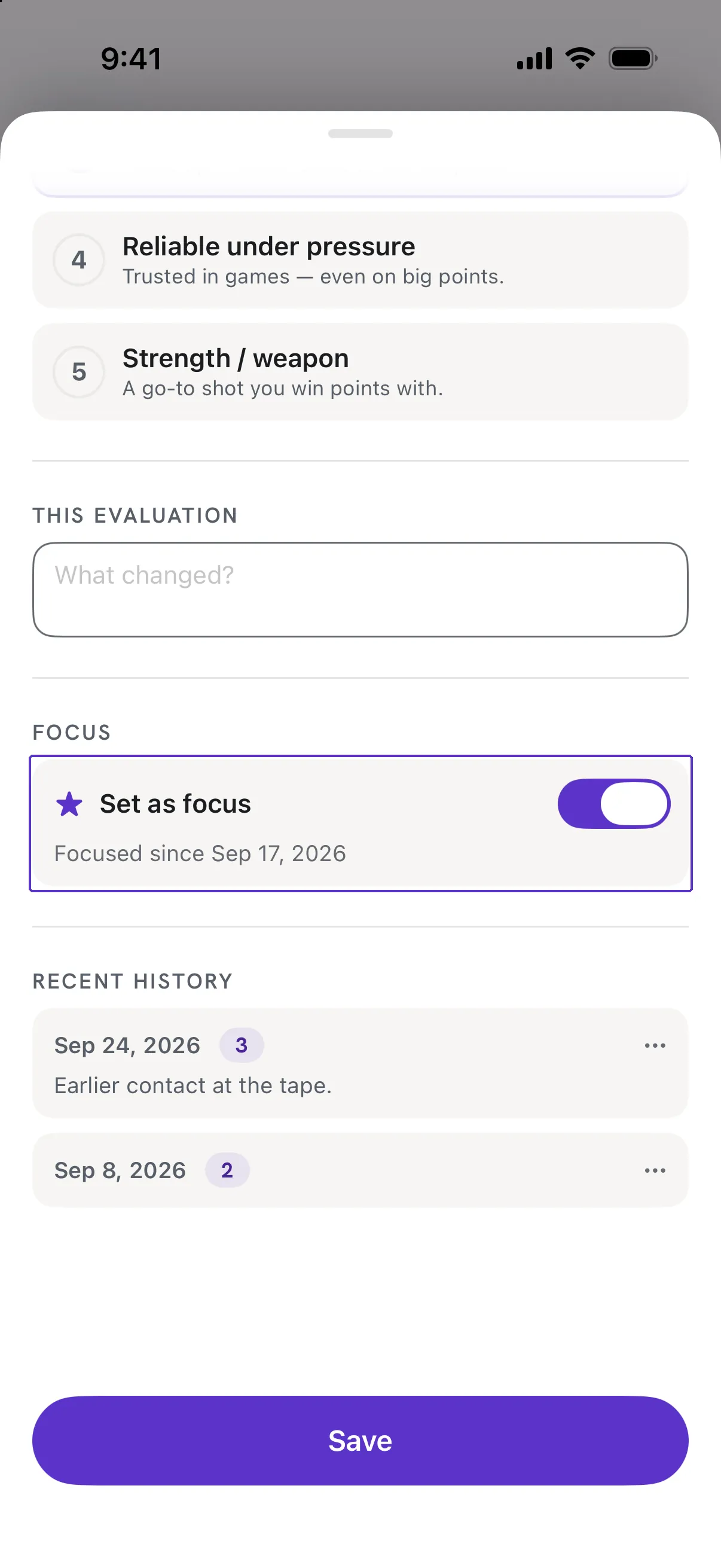
Good to know
- It says "You already have 3 focus skills."
- Three is the limit, so the list stays a real focus. Remove one from its sheet to add another.
- Where else do focus skills appear?
- On the IN FOCUS tile of the Skills dashboard, and at the top of Skills Used under FOCUS when you log a session.