Skills
Rate a skill from 1 to 5
Open an area, tap a skill, pick the level that sounds like you today, add a note if you like.
Before you start
The five levels have names, so you are choosing a description, not a number: 1 Learning, 2 Inconsistent, 3 Rally-ready, 4 Reliable under pressure, 5 Strength / weapon.
Steps
Open an area
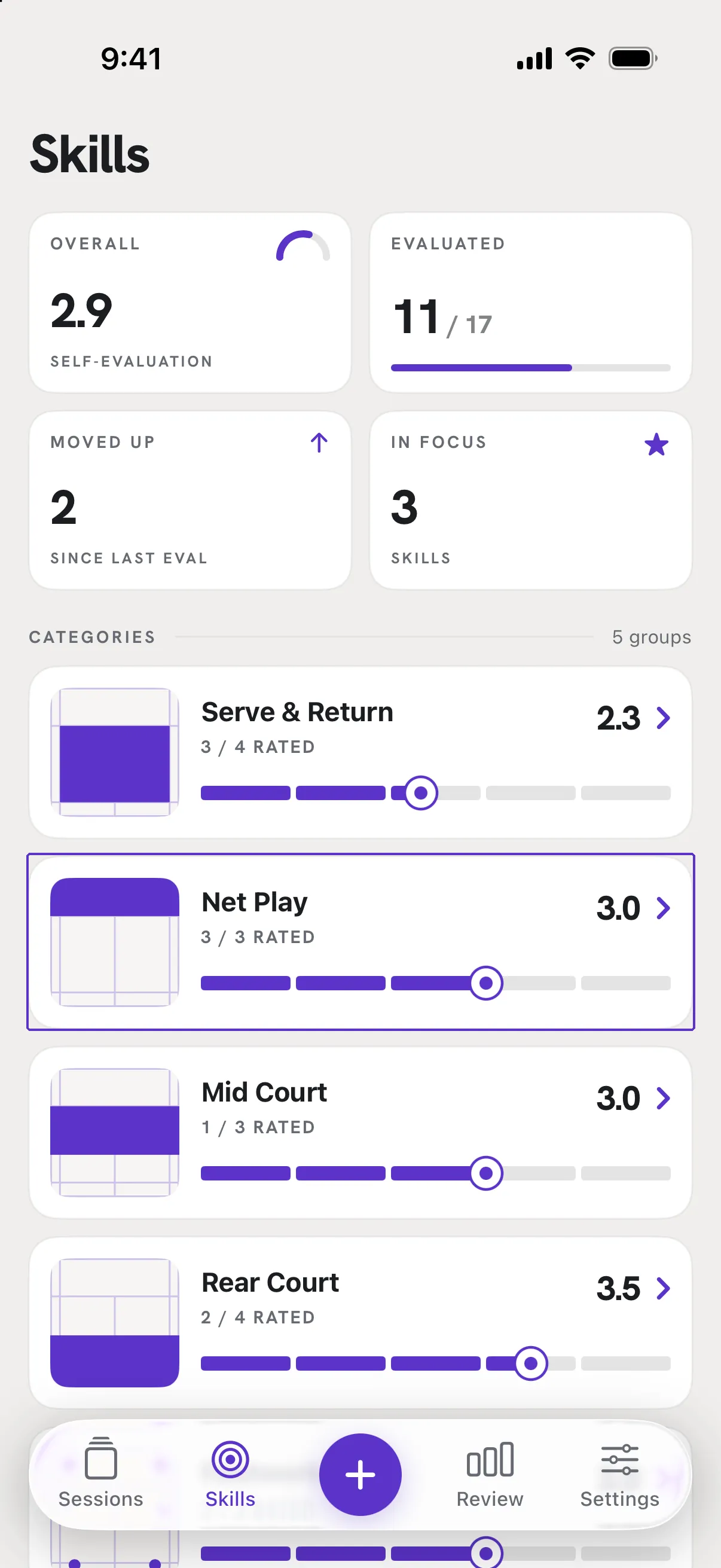
On the Skills tab, under CATEGORIES, tap one of Serve & Return, Net Play, Mid Court, Rear Court or Footwork.
Tap a skill and choose a level
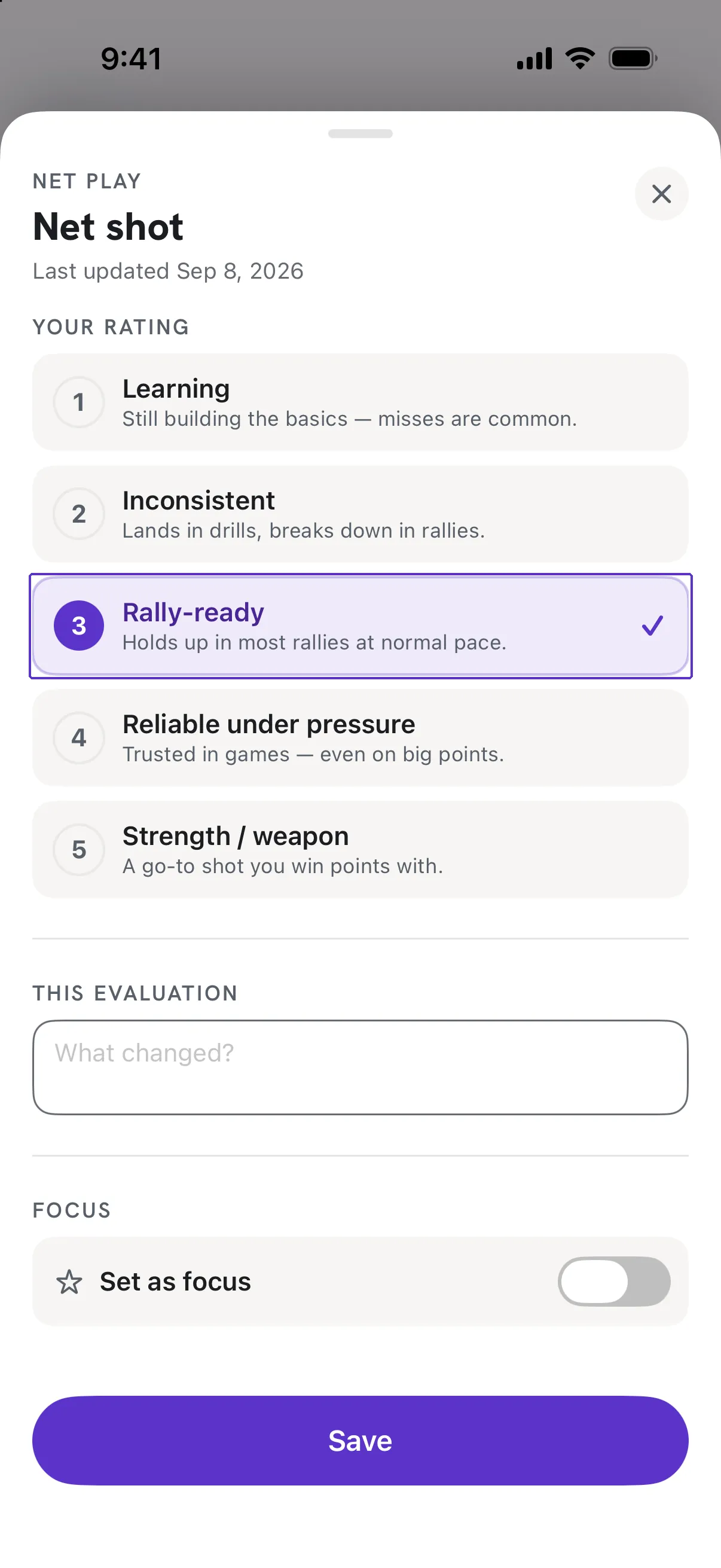
The rating sheet shows YOUR RATING (the last one) and THIS EVALUATION. Tap 1 to 5; each level shows its description. Under it, What changed? is an optional note.
Save, or Save & rate next
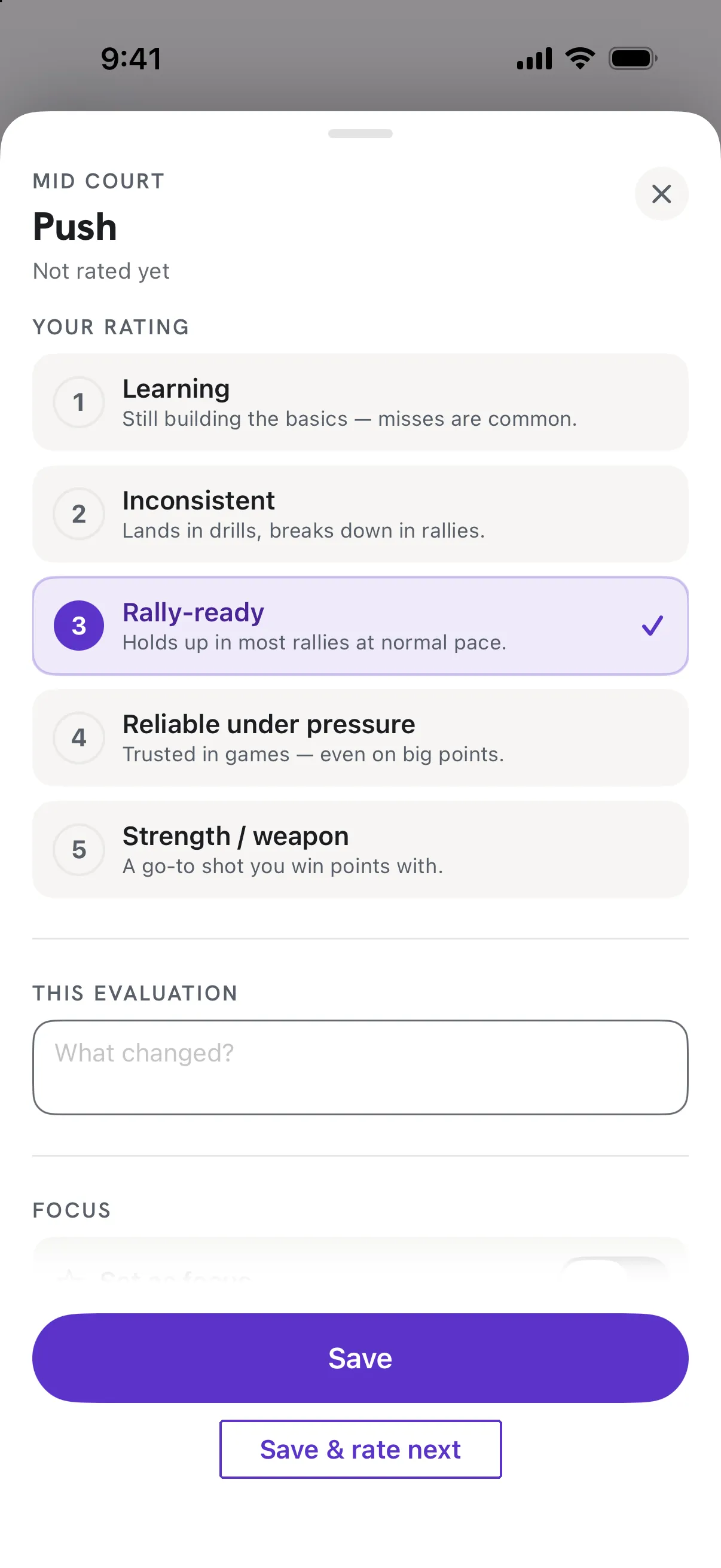
Save keeps this one and closes. Save & rate next moves to the next skill in the area so you can go down the list after a session.
Good to know
- Do I have to rate everything?
- No. Rate what you have an opinion on and leave the rest as Not rated. The dashboard shows how much of your game you have covered.
- I rated the same skill twice today.
- A second rating on the same day updates today's evaluation (the button reads Update today) instead of adding a new one.