Give RallyPath permission to read your workouts
RallyPath asks once, the first time you import a workout. Here is what the prompt looks like and how to change your answer later.
Before you start
You do not need Apple Health to use RallyPath. Every session can be logged by hand. Permission only matters if you want time on court, calories and heart rate to come from your watch.
Steps
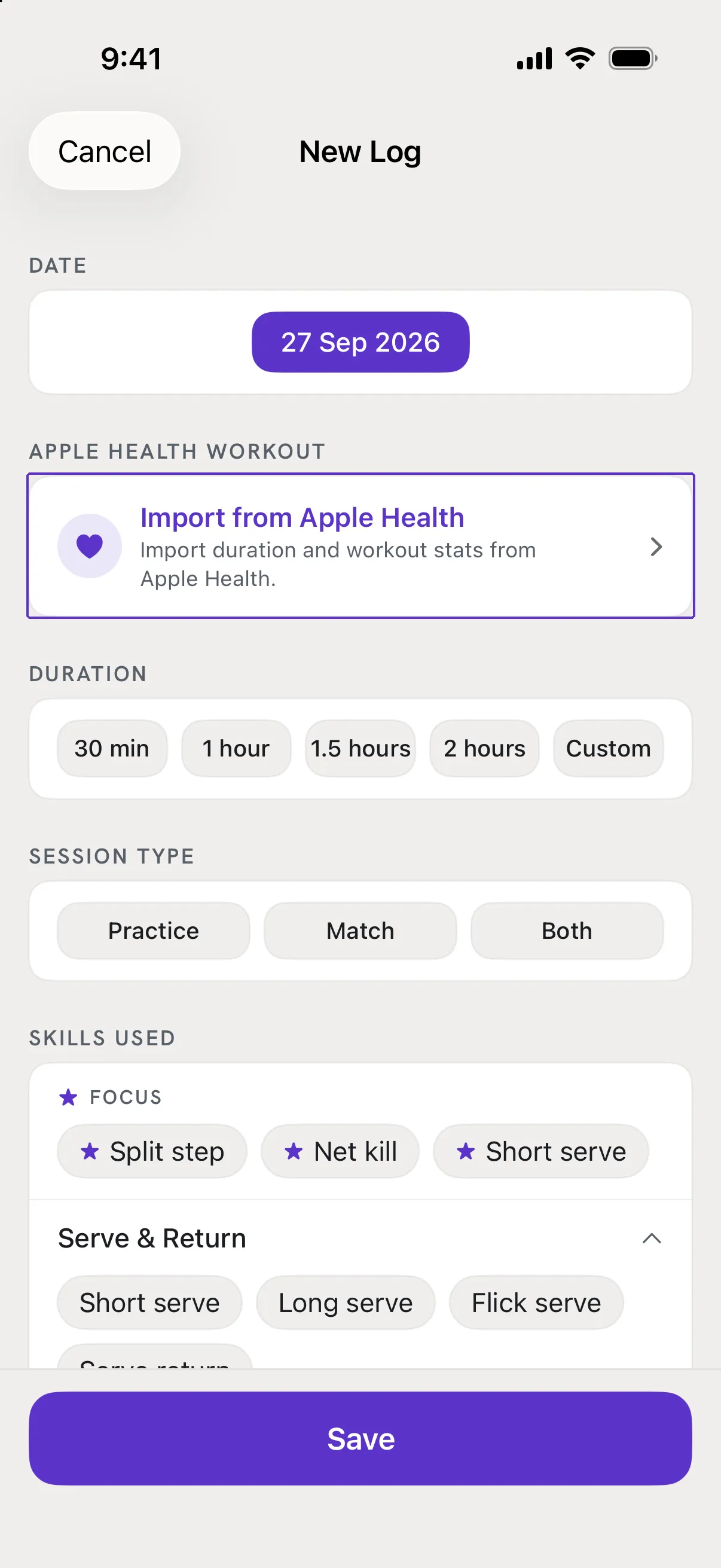
Open a session and tap Import from Apple Health
Tap + to start a session, or open an existing one and tap Edit. Scroll to the Apple Health Workout card and tap Import from Apple Health.
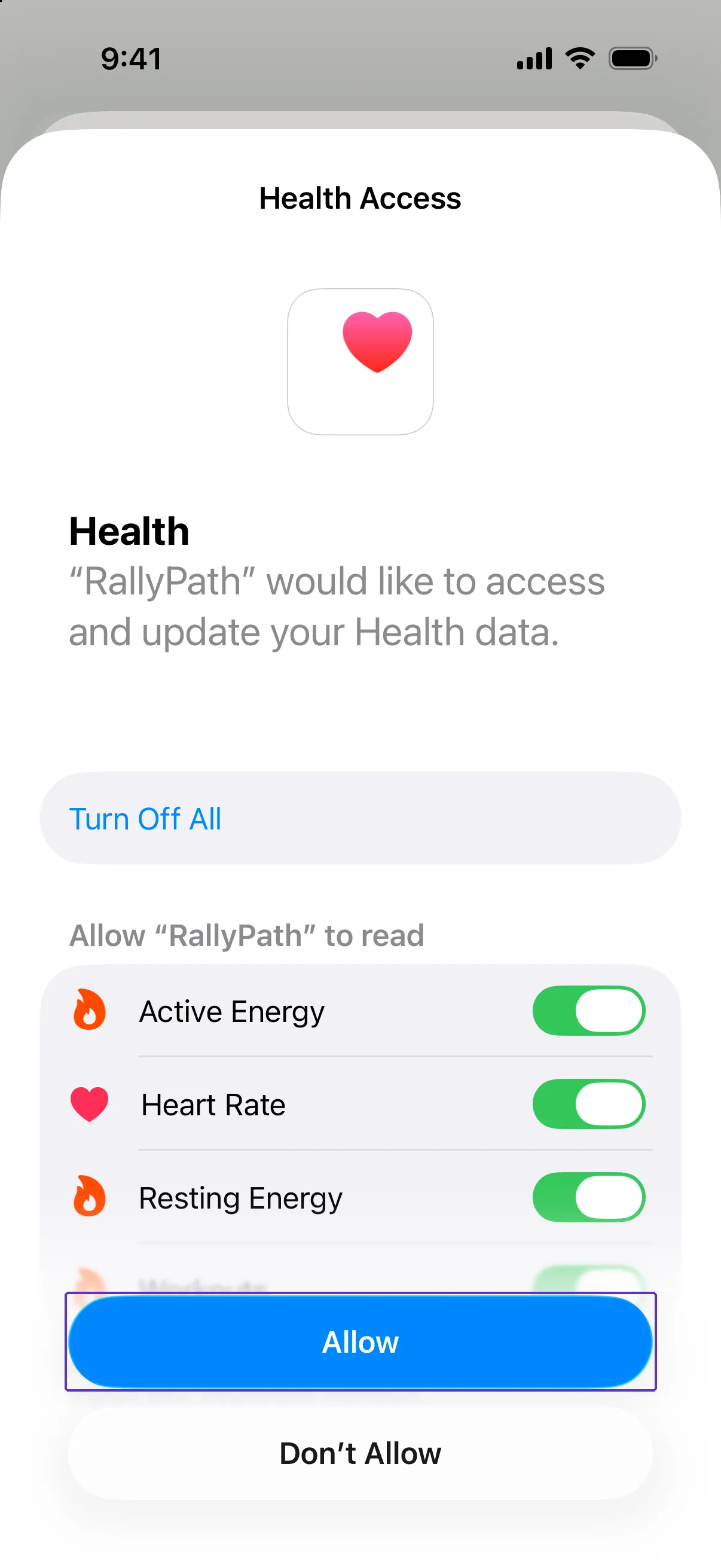
Allow the four reads
The first time, iOS shows the Health Access sheet with four switches: Active Energy, Heart Rate, Resting Energy and Workouts. Leave them all on and tap Allow. RallyPath asks to read only; it never asks to write.
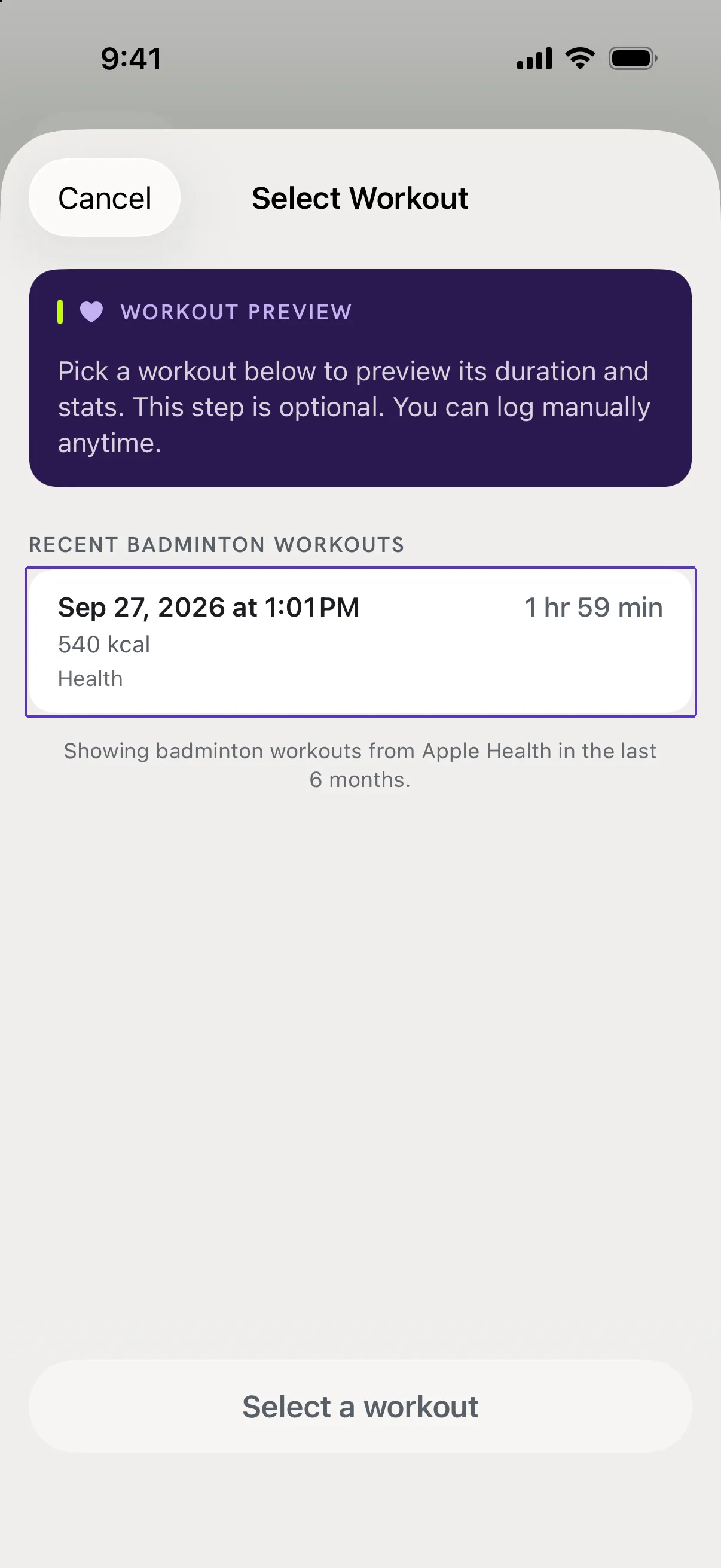
Pick your workout
The Select Workout screen now lists your recent badminton workouts. Tap one and tap Attach Workout. See Attach your Apple Watch workout to a session for the rest.
Good to know
- I tapped Don't Allow. How do I change that?
- Open the Health app, go to Sharing, then Apps, choose RallyPath and turn the switches on. iOS only shows the access sheet once, so this is the only way back.
- Is there a shortcut from RallyPath?
- Yes. In Settings, the Apple Health card shows whether RallyPath is connected. Tap it to open the Health app.
- Does RallyPath write anything to Apple Health?
- No. Access is read-only. RallyPath never adds, edits or deletes anything in Health.