Sessions
Add match results
Each match records its format and whether you won. Review turns them into your record.
Before you start
RallyPath keeps the result of each match, not the points. Singles or doubles, win or loss - that is what Review adds up.
Steps
Choose Match or Both
On the New Log or Edit Log screen, under Session Type. The Matches card appears.
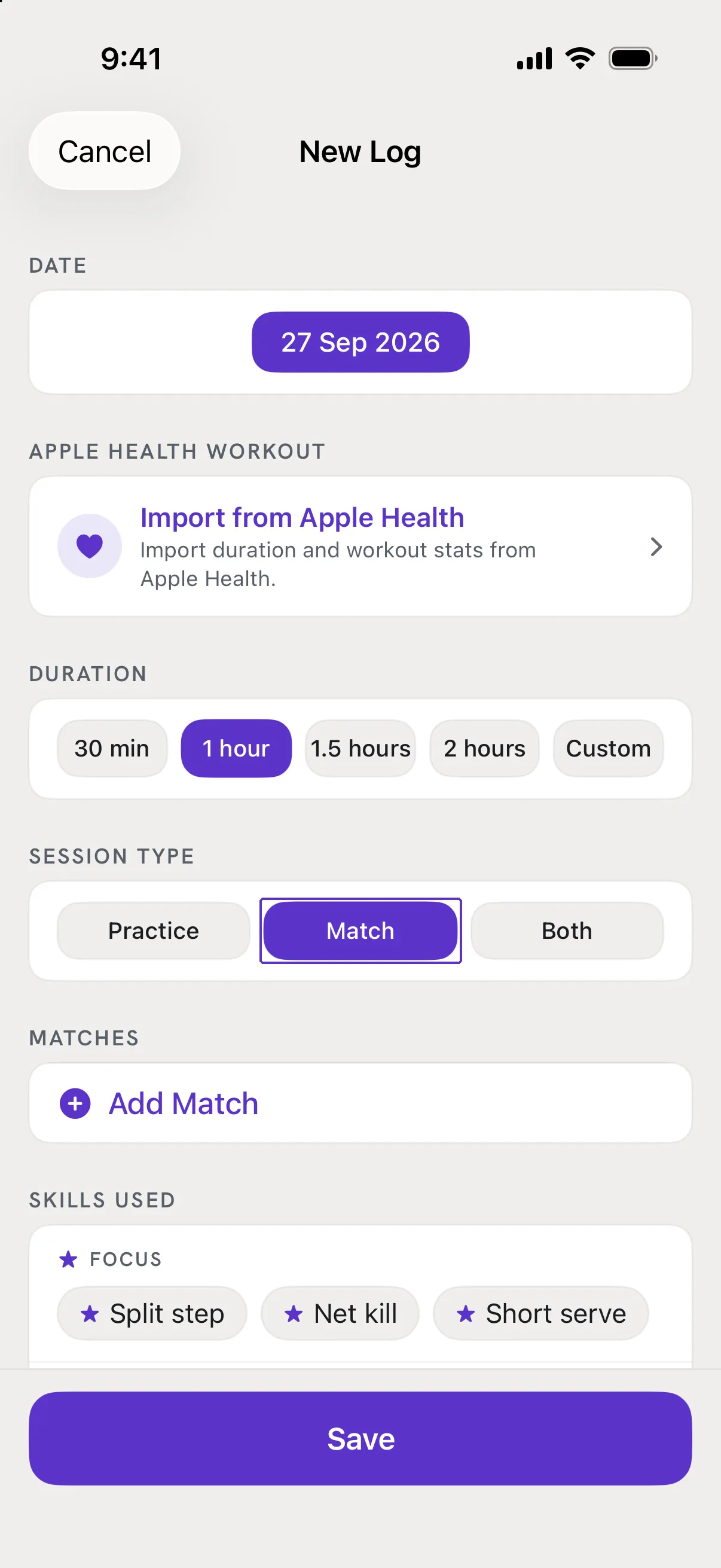
Tap Add Match
A row appears as Match 1. Set Singles or Doubles, then Win or Loss. Tap Add Match again for the next one; the trash icon removes a row.
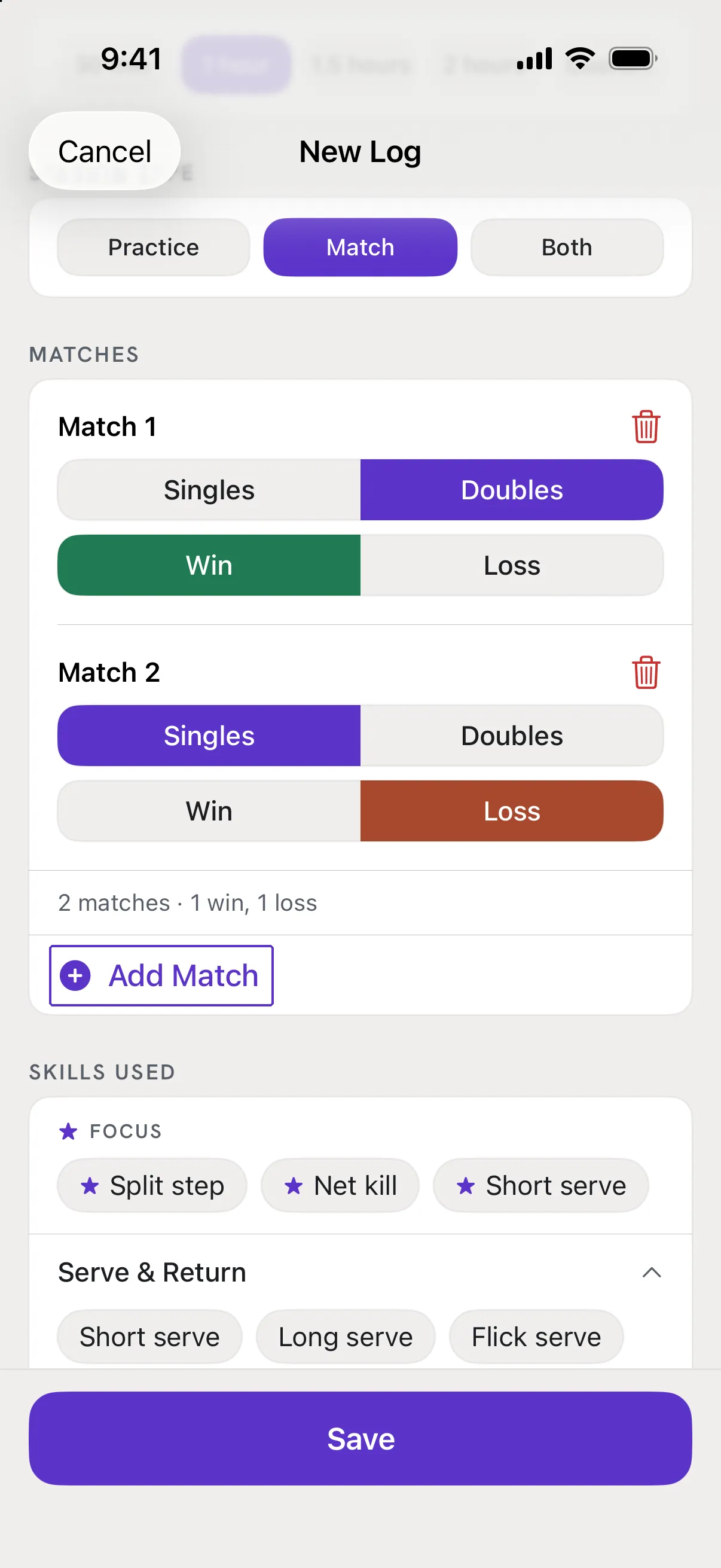
Save
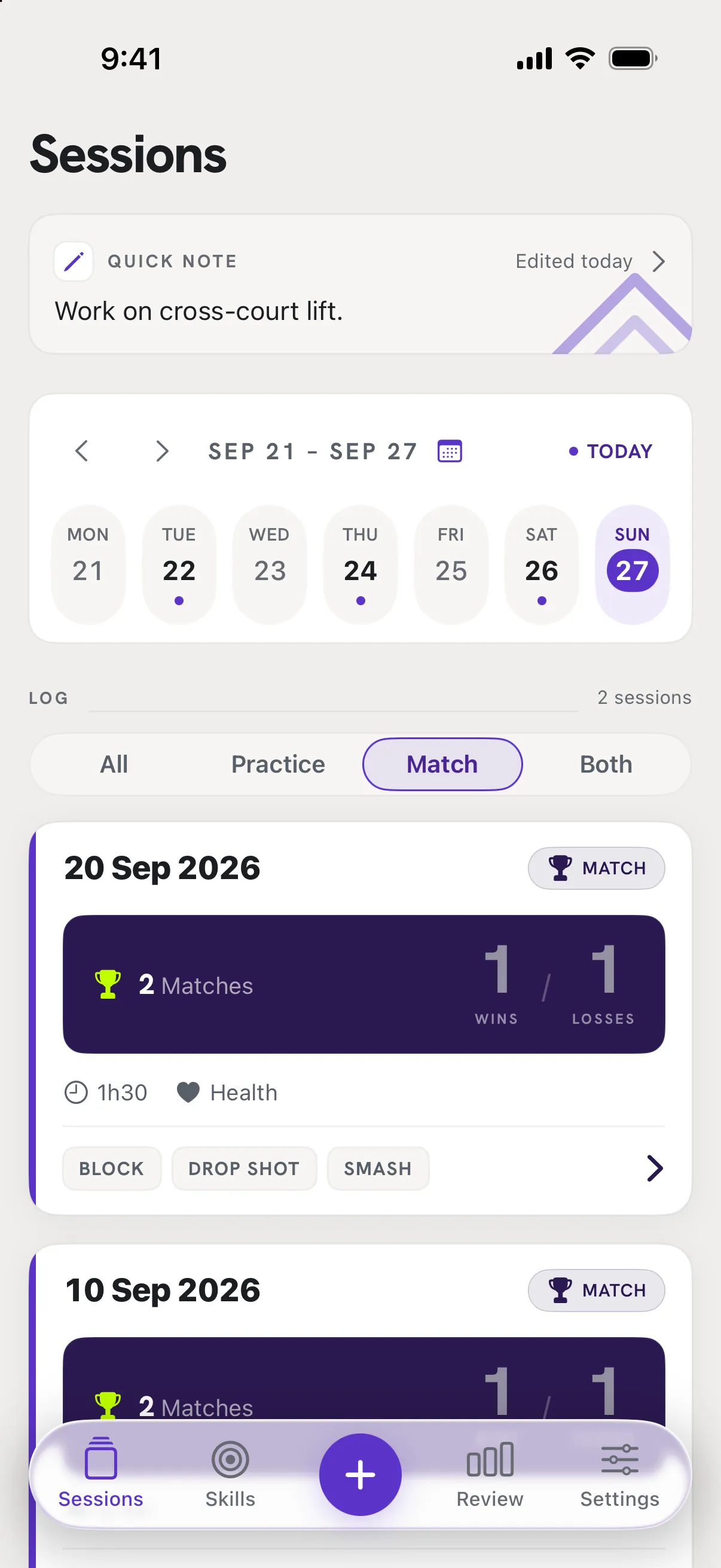
The session card in Sessions shows the match summary, and Review counts wins and losses for the week, month and all time.
Good to know
- A match row shows "Complete the format and result."
- Both parts are needed. Pick Singles or Doubles and Win or Loss on that row.
- Where do I write the score?
- There is no score field. If you want to remember it, put it in the Reflection.