Add skills, a reflection and photos
Tag the skills you worked on, write a few lines, and attach up to 10 images.
Before you start
All three live on the New Log and Edit Log screens, below the required cards. None of them is required.
Steps
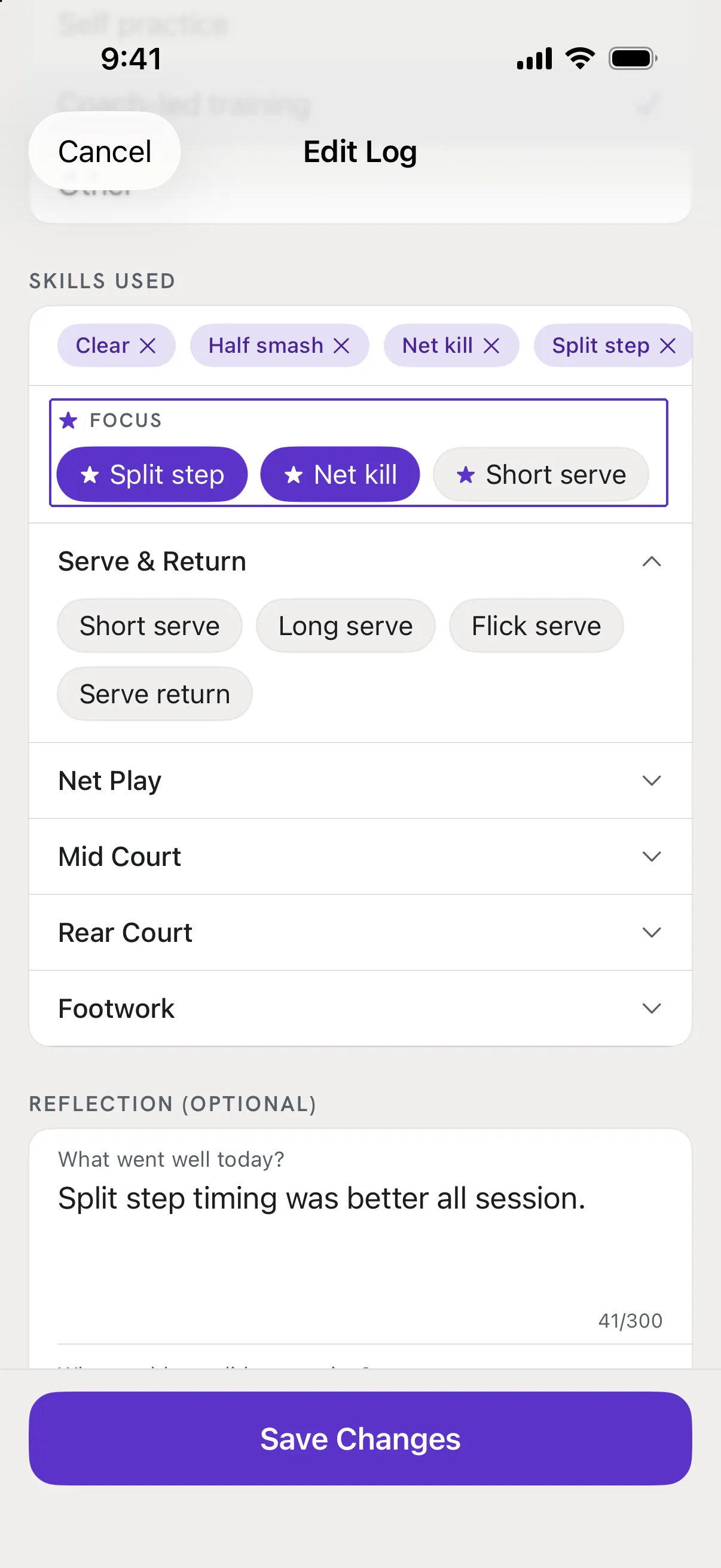
Tag the skills you worked on
Under Skills Used, tap the skills you practised. Your focus skills are listed first under FOCUS so they are one tap away. These tags feed the Skills Trained card in Review.
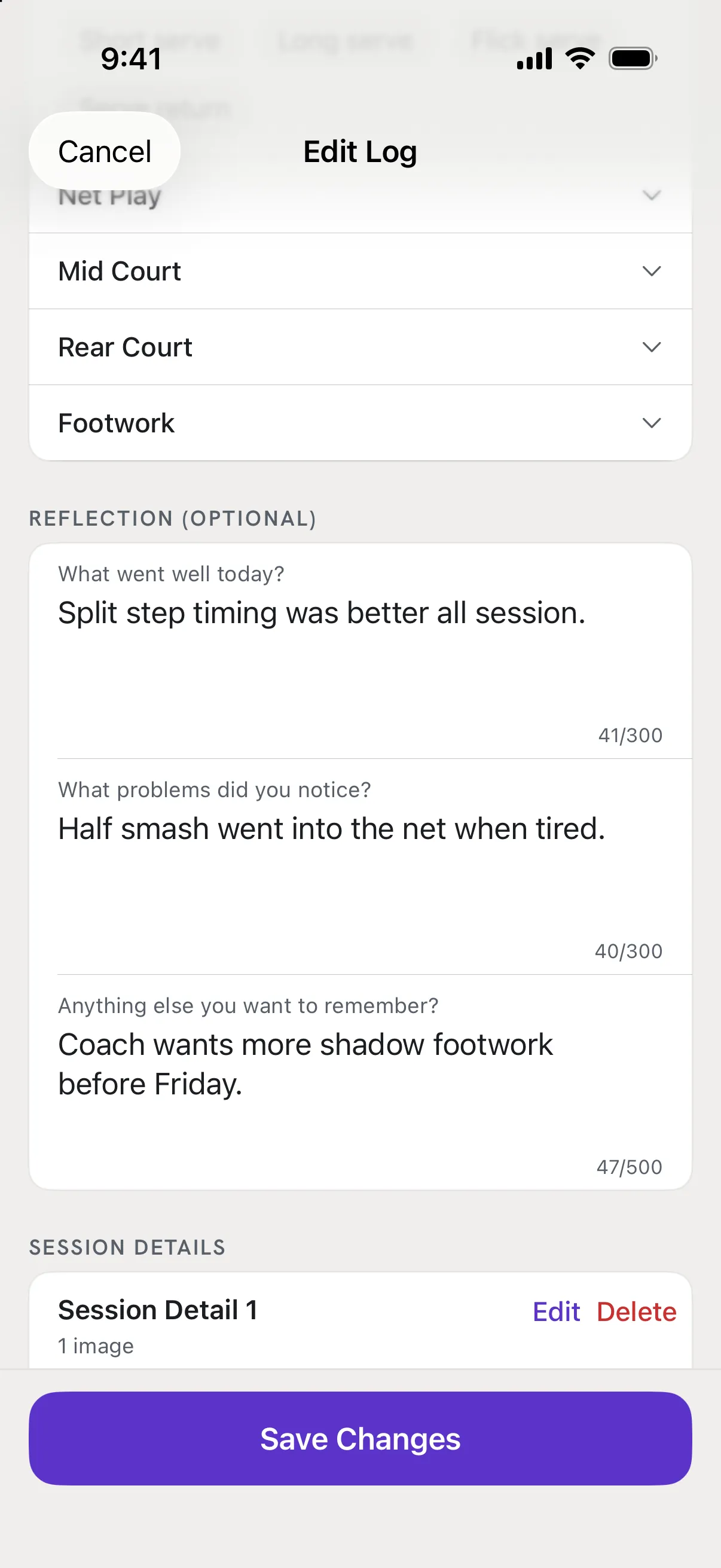
Write a reflection
Under Reflection (Optional) there are three prompts: What went well today?, What problems did you notice? and Anything else you want to remember? Answer any of them; a counter under each shows how much room is left.
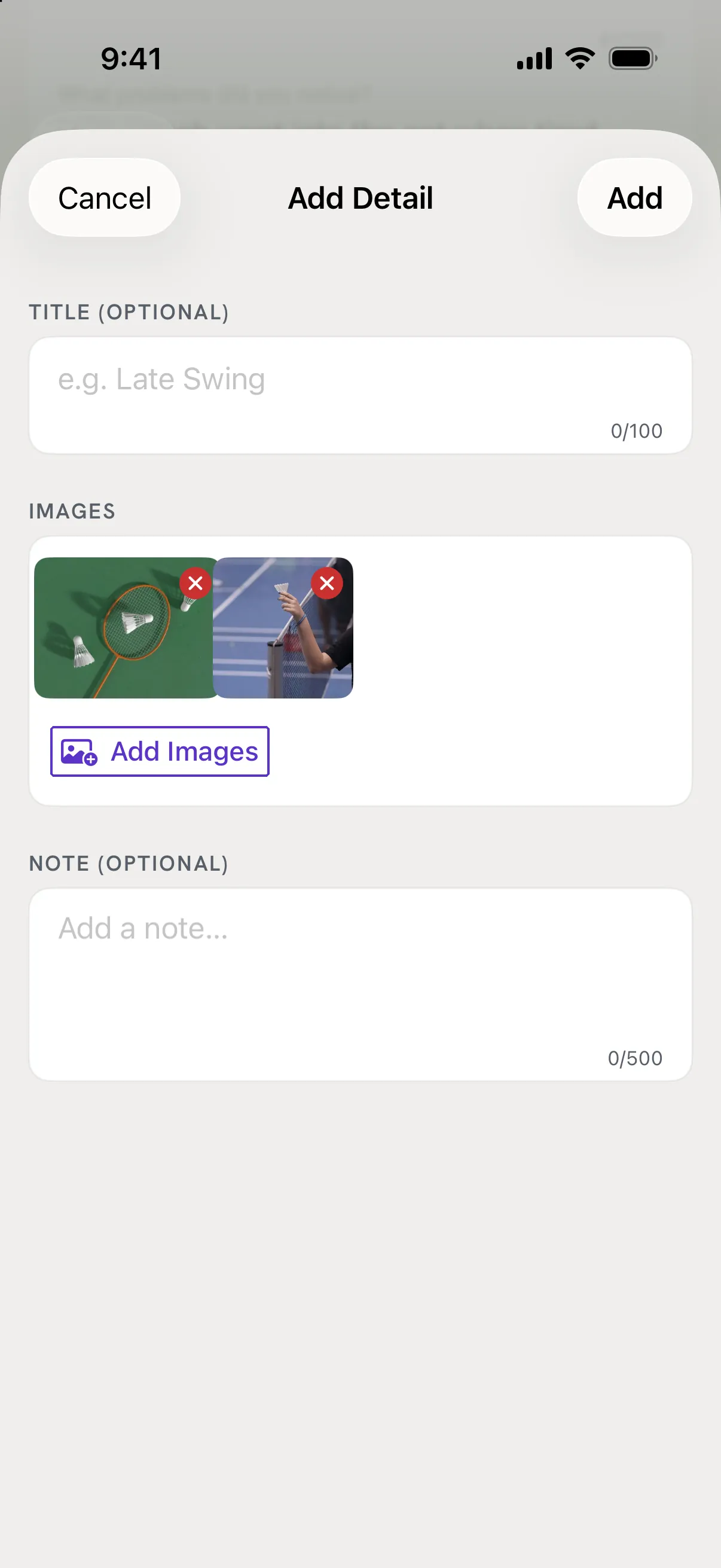
Attach photos
Under Session Details, tap Add Session Detail. Give it an optional title and note, tap Add Images and choose from Photos. A detail holds up to 4 images and a session up to 10. Tap Done, then Save the session.
Good to know
- Can I add a detail with no photo?
- No - a detail needs at least one image. For text only, use the Reflection.
- Are notes ever shared?
- No. Share cards use numbers only. The app says so on the Share screen: "Notes are never included."