Add players and set scores to a match
Add your partner and opponents to a match, then the points of each set. Both are optional.
Before you start
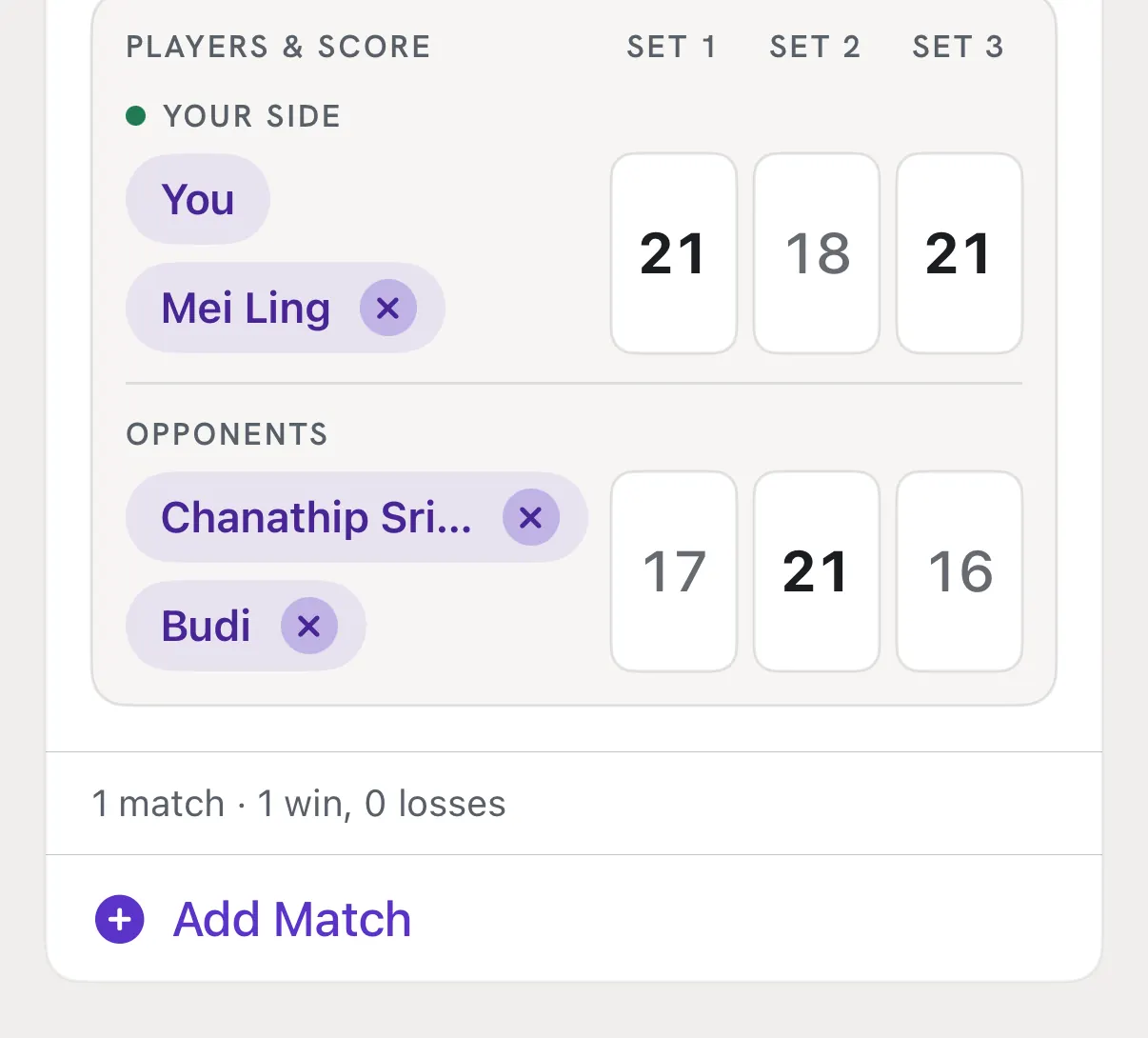
Each match has a Players & score board: your side, the other side, and boxes for Set 1, Set 2 and Set 3. Names and scores are optional. Win or Loss is still the only thing a match needs.
Steps
Open a match
In New Log or Edit Log, set Session Type to Match or Both. Pick Singles or Doubles, then Win or Loss. The board sits under them, with You already on your side.
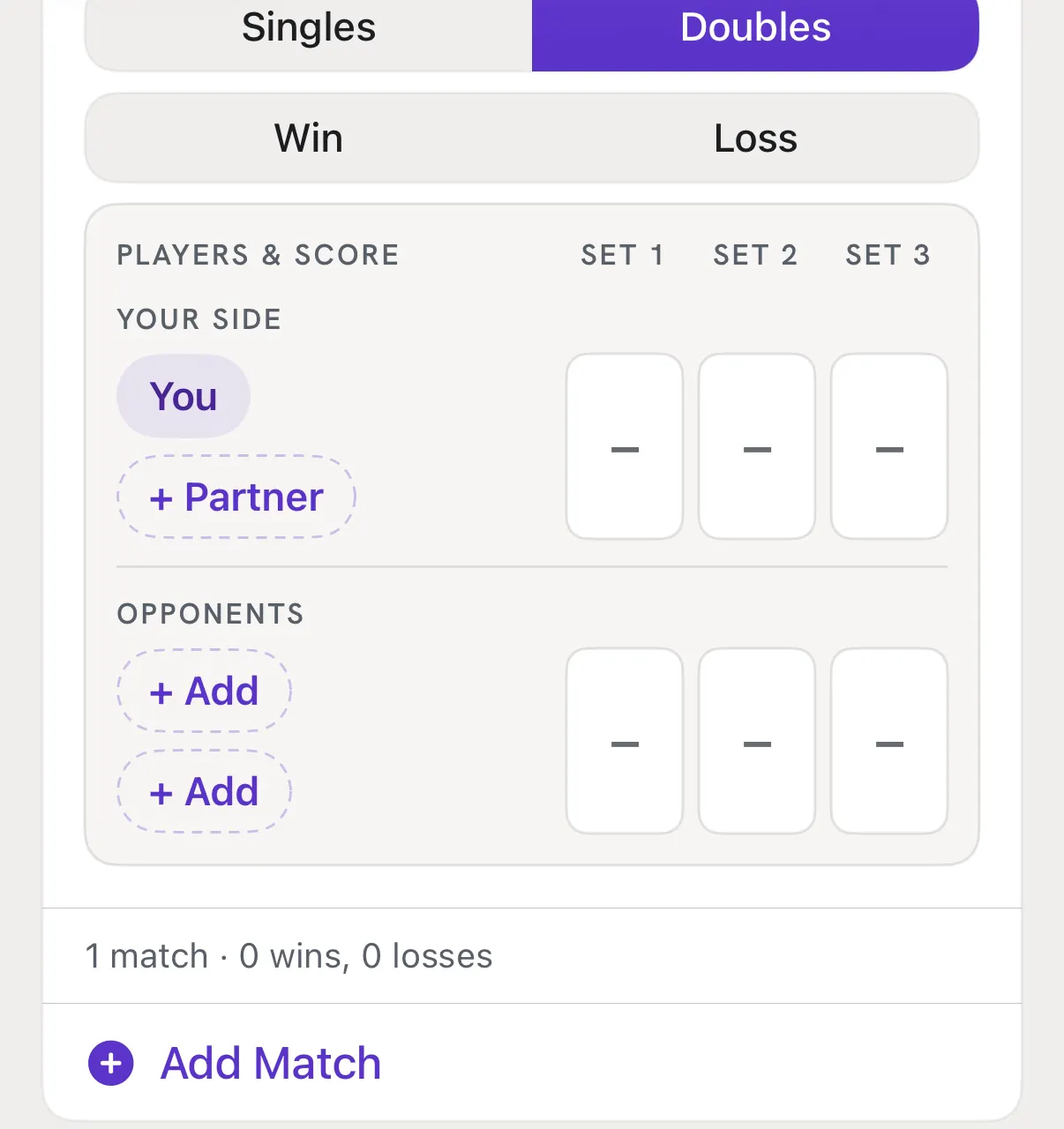
Tap + Partner
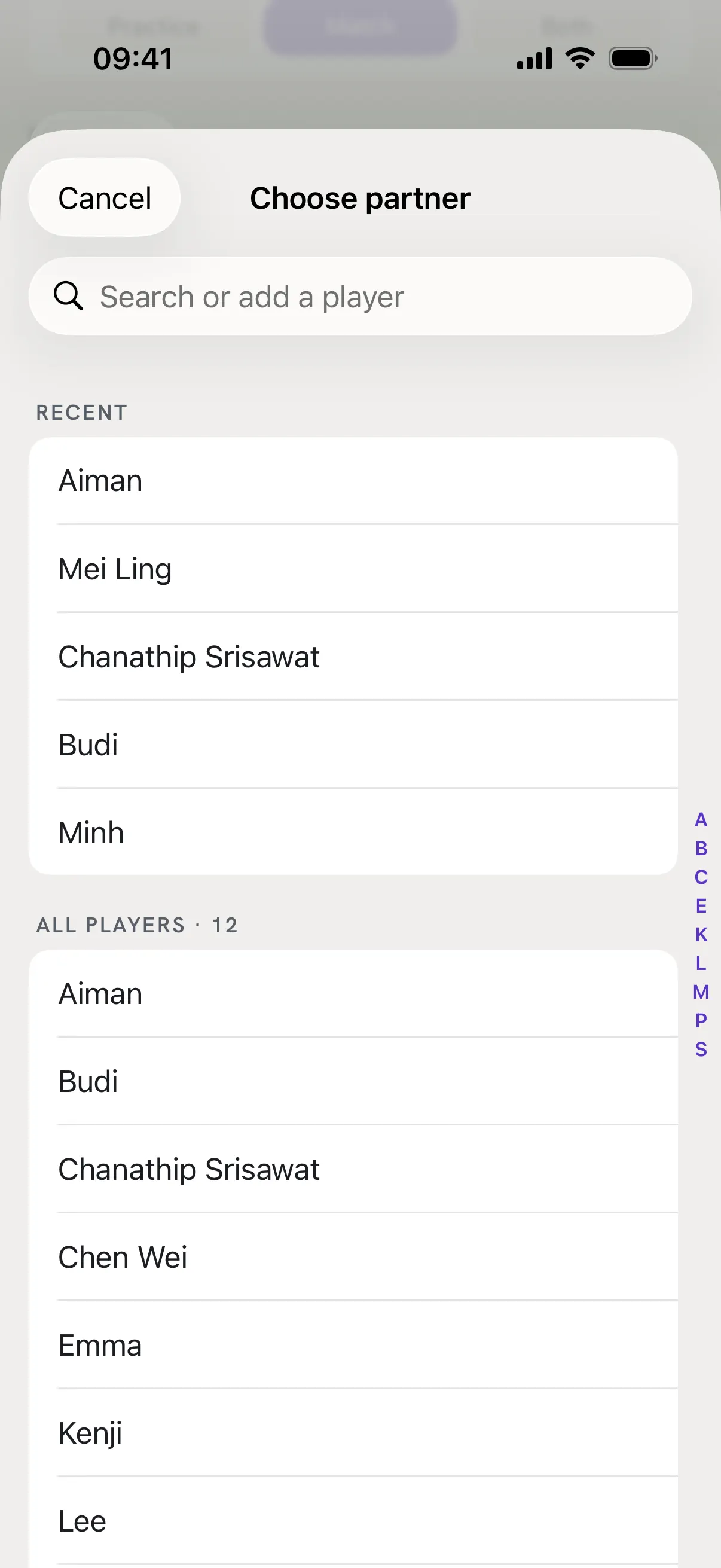
The Choose partner list opens: Recent shows the last 5 people you played with or against, then All players from A to Z. Tap a name to pick it.
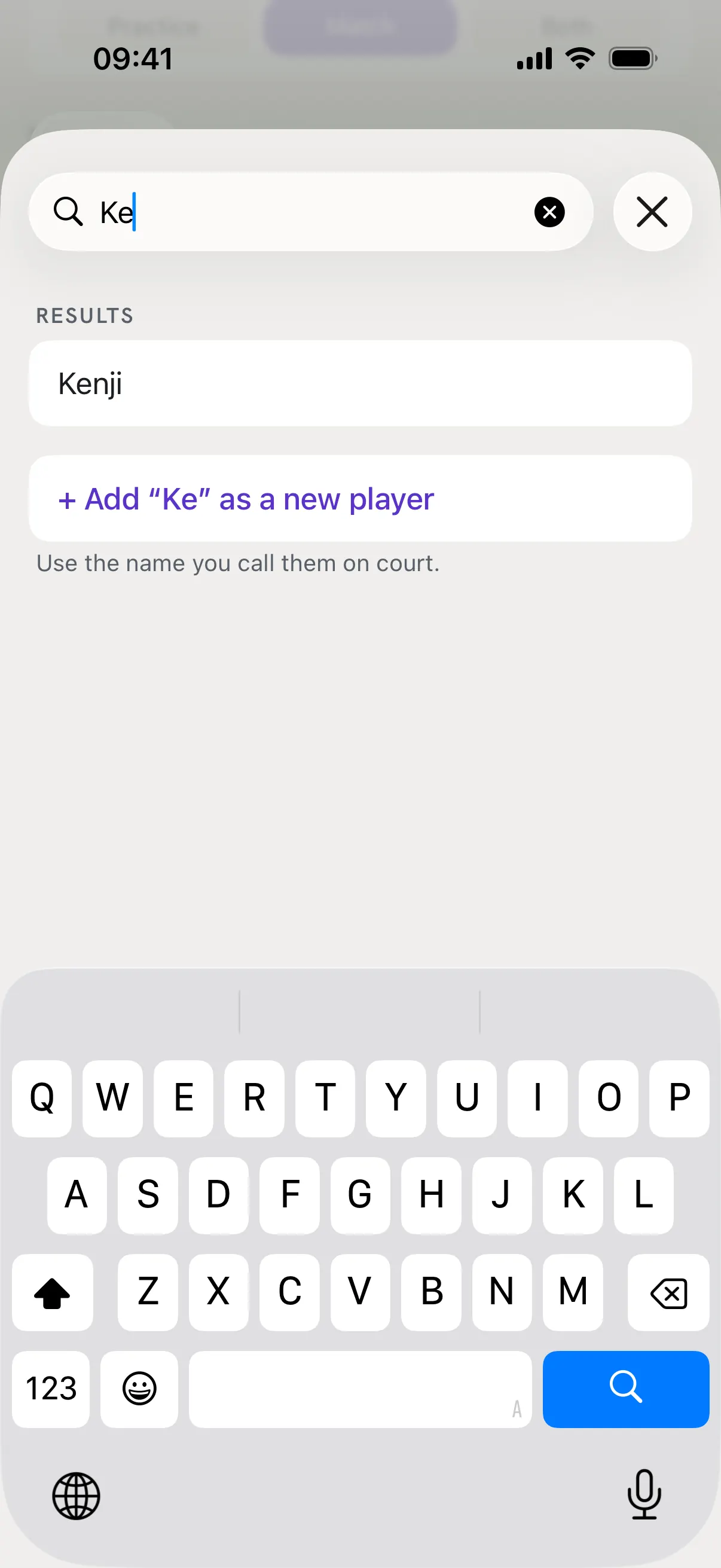
Add someone new
Type in Search or add a player. If the name is not there, tap + Add "…" as a new player under the results. Use the name you call them on court. Typing a name you already have picks that player, so you never get two of the same.
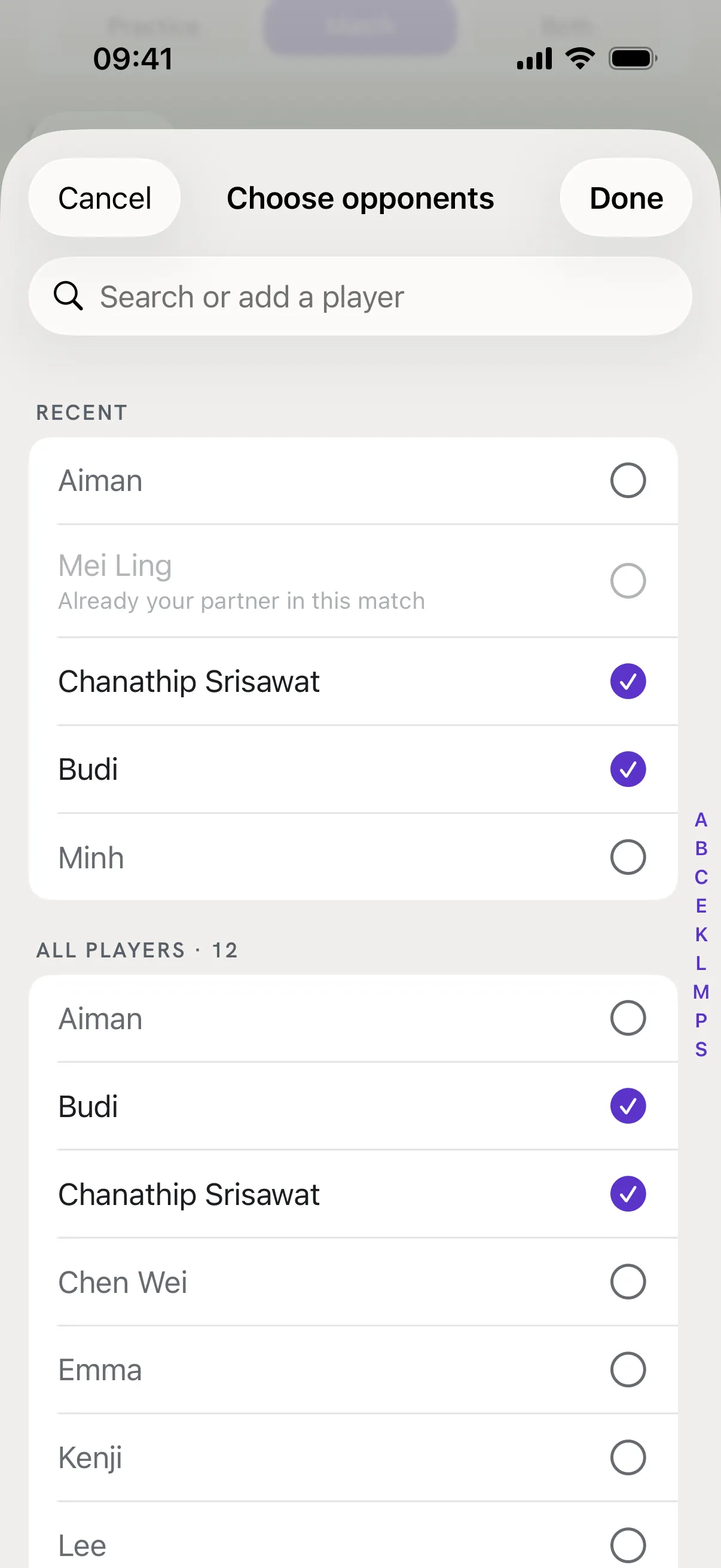
Tap + Add for the opponents
Tick up to 2 opponents in doubles, or 1 in singles, then tap Done. Someone already on your side shows greyed out, because a person can only be on one side of a match.
Type the score of each set
Tap a set box and type the points, from 0 to 30. Each set you use needs both scores. Leave the sets you did not play empty, then tap Save.
Good to know
- A set box turned red when I tapped Save.
- That set has only one score. The line under the board says what is missing, for example "Add the opponents' score for Set 2." Fill it in, or clear the other box.
- A note says the score shows a loss, but I picked Win.
- The app counts the sets each side won and checks them against your Win or Loss. It is a reminder only: check both, and you can still save. RallyPath never changes your result for you.
- I switched from Doubles to Singles.
- Singles has no partner and one opponent, so the app asks first, then removes your partner and the second opponent from that match.
- I tapped Cancel. Are the new players kept?
- No. New players are saved with the log, so Cancel drops them too.
- Do names show on my share card?
- No. Player names stay in the app and never appear on share cards.