Rename, merge or delete a player
Fix a name everywhere at once, join two entries for the same person, or remove a player and keep your matches.
Before you start
All three start on the player's page. Open it from a name in Log Detail or from Settings > Players.
Steps
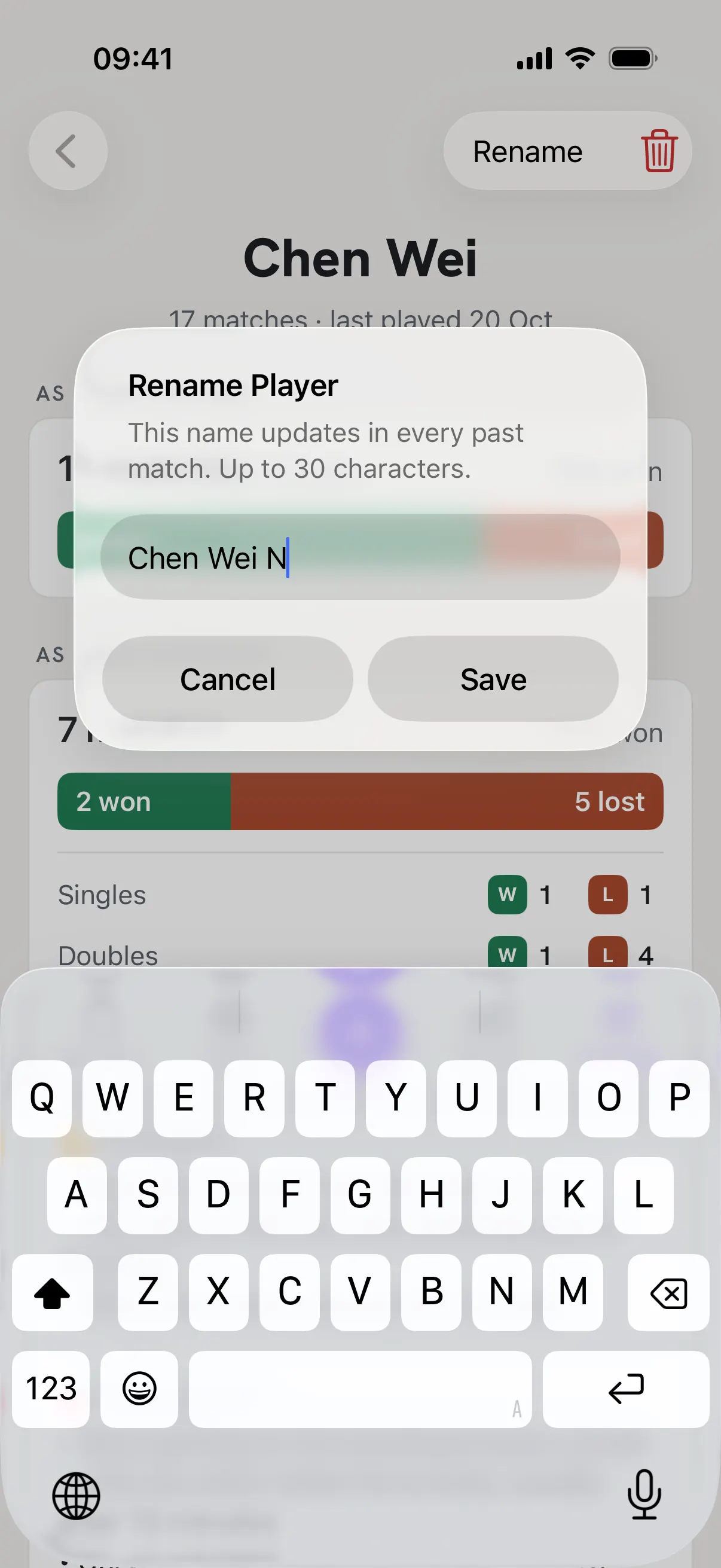
Tap Rename
Type the new name, up to 30 characters, and tap Save. The name changes in every past match.
Merge two entries for the same person
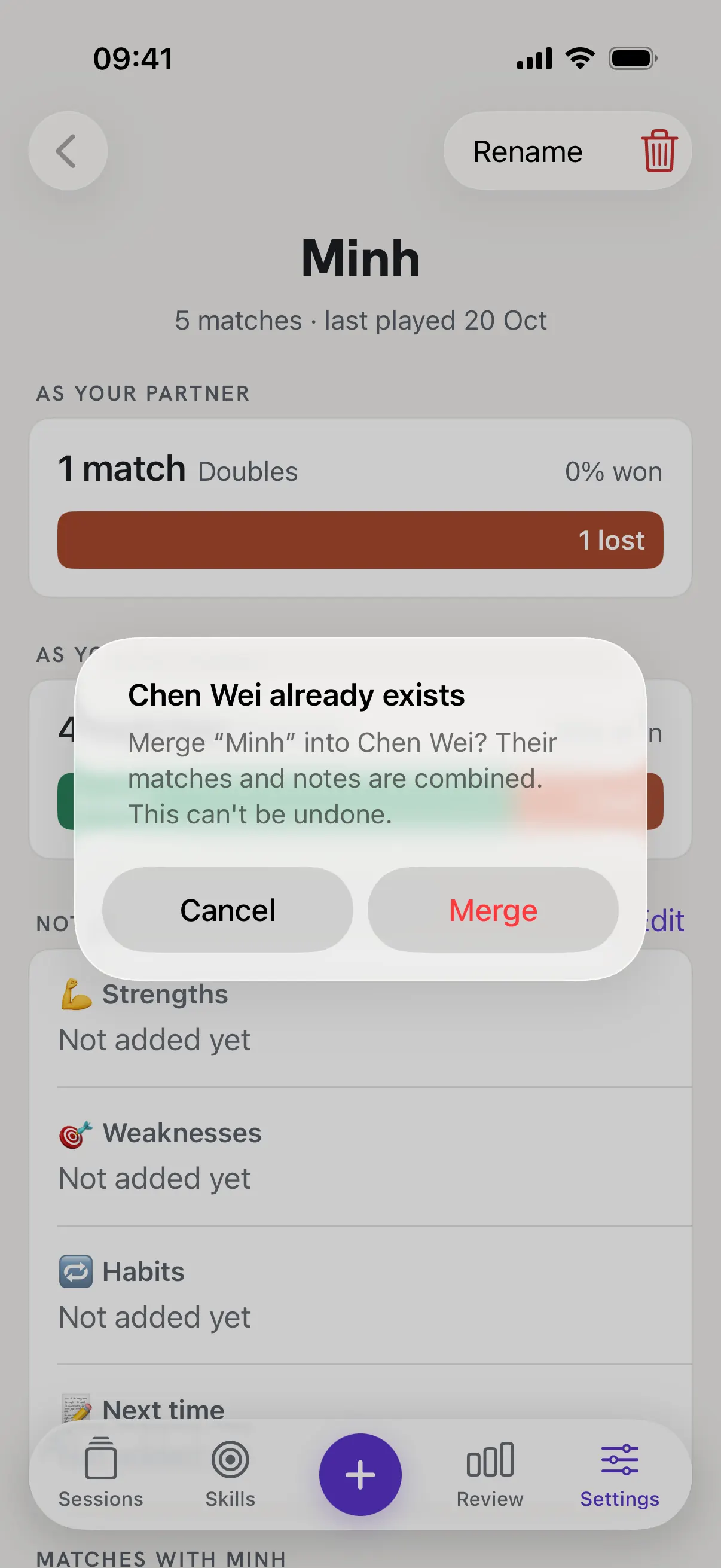
If you rename a player to a name you already have, RallyPath offers to merge them. Tap Merge to combine their matches and notes into one player. If the two players were on opposite sides of the same match, the player you merge into keeps their side, and the other name is removed from that match. Results and scores don't change. A merge can't be undone.
Tap the trash icon to delete
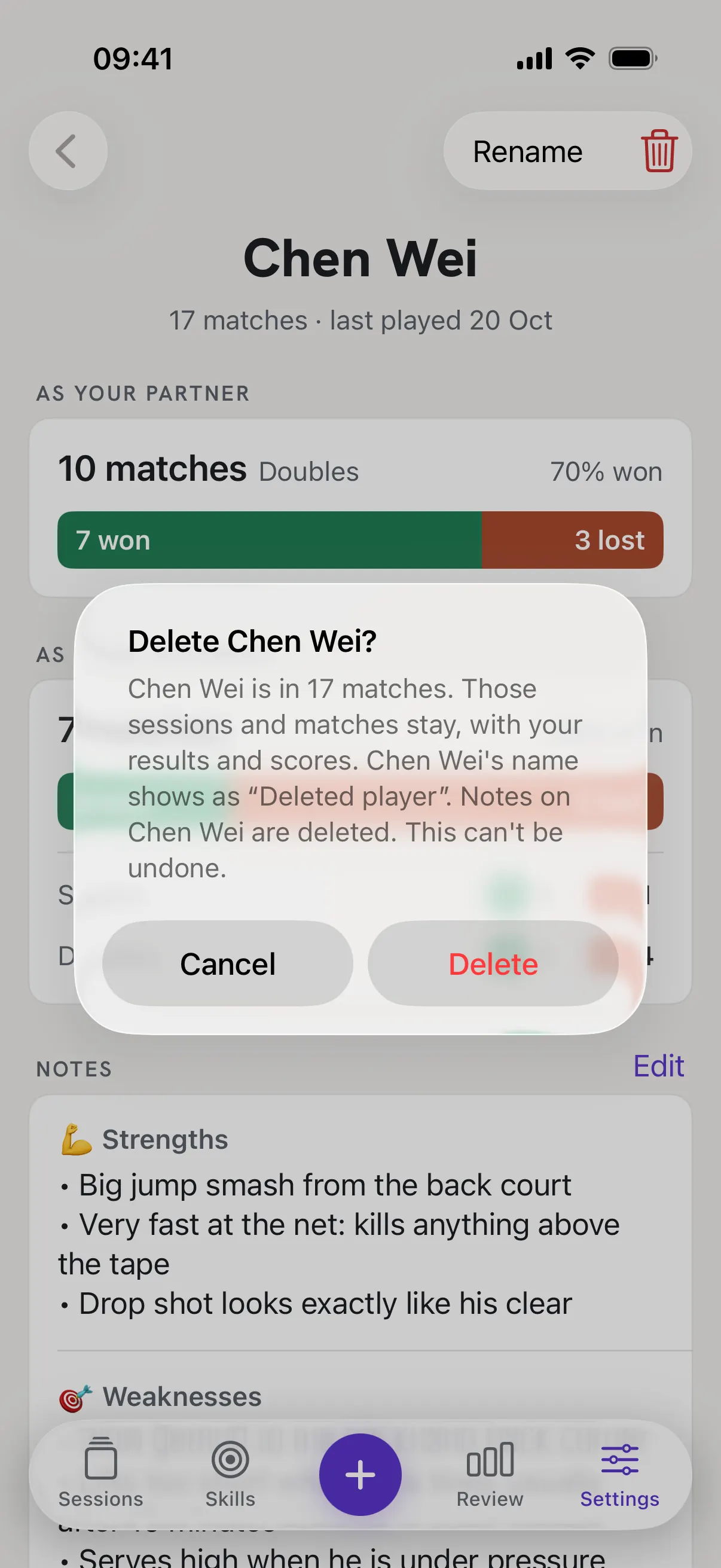
It sits next to Rename at the top. RallyPath tells you how many matches the player is in and asks first. Tap Delete to confirm. In the Players list you can also swipe left on a name.
Your matches stay
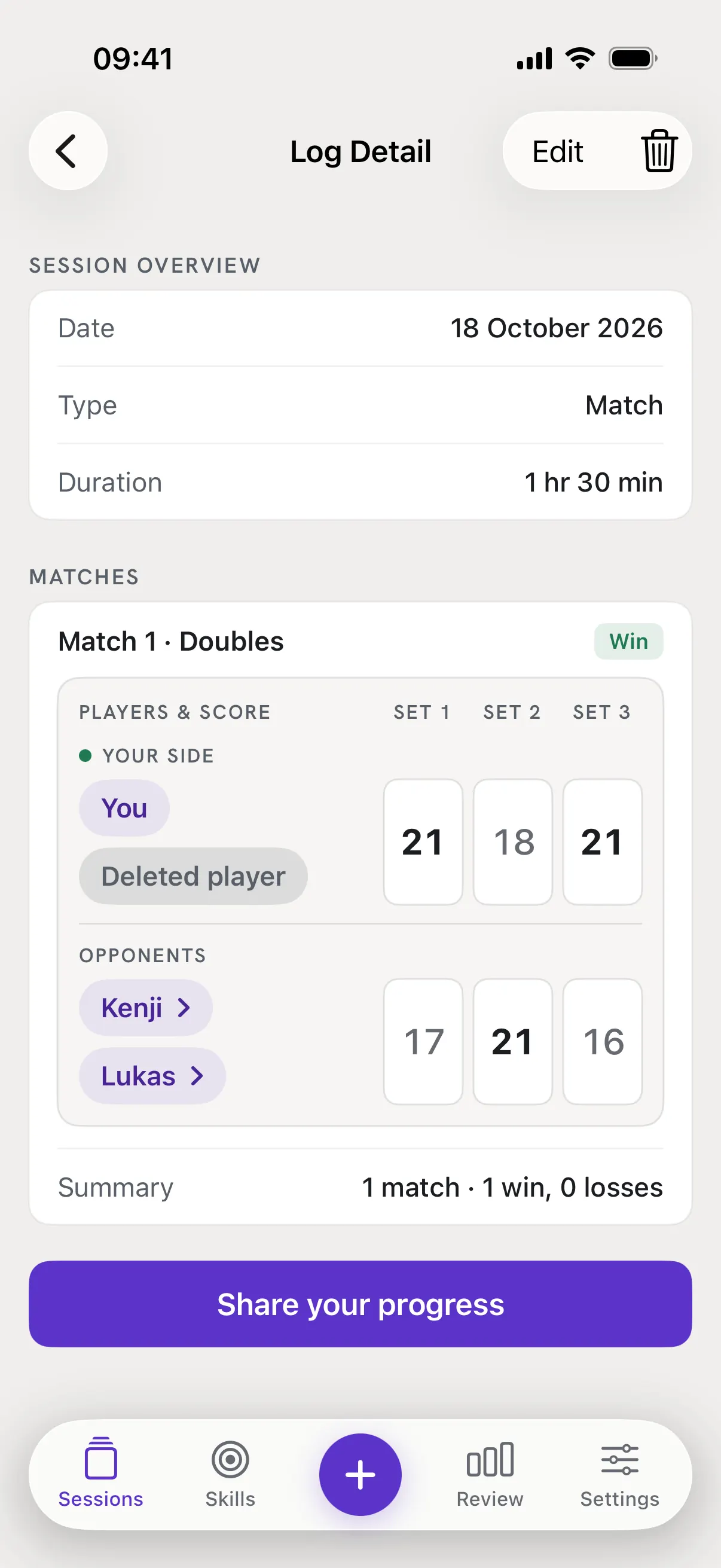
Every session and match keeps its result and scores. The player's spot now reads Deleted player, and your notes on them are gone. A delete can't be undone.
Good to know
- I added the same person twice with different spellings.
- Rename one of them to the other's exact name, then tap Merge. Capitals and extra spaces don't count, so "chen wei" finds Chen Wei.
- Are renames and deletes in my backup?
- Yes. Export and Import keep your players, renames, merges and "Deleted player" spots.